Coronavirus (COVID-19) Information and Updates
Guidelines for Patients During COVID-19

Get Back to Health Safely
Welcome back!
If you have not been to one of our care facilities for a while, you will notice a few changes since your last visit. Please review this page to learn about the extra safety measures we have in place and the steps we ask you to take so we can more safely care for our patients and monitor COVID-19 in our communities.
Schedule an Appointment
Learn How Your COVID-19 Self-Screening Tool Works
For many appointments at Johns Hopkins Medicine, patients will be asked to self-screen for COVID-19 on their mobile device. Patients may also invite their care partner accompanying them to their appointment to virtually screen once the patient has successfully used the tool. Please remember that to help reduce the spread of COVID-19, for now, we are limiting who may accompany a patient into our care facilities. Be sure to read our visitor guidelines. We will return to our patient-centered visitor policies as soon as possible. We are not allowing visitors, family or care partners to accompany patients, except in very limited circumstances. Review our Johns Hopkins Medicine visitor policy for full details.
Self-Screening Tool Instructions
Here are instructions for our self-screening tool.
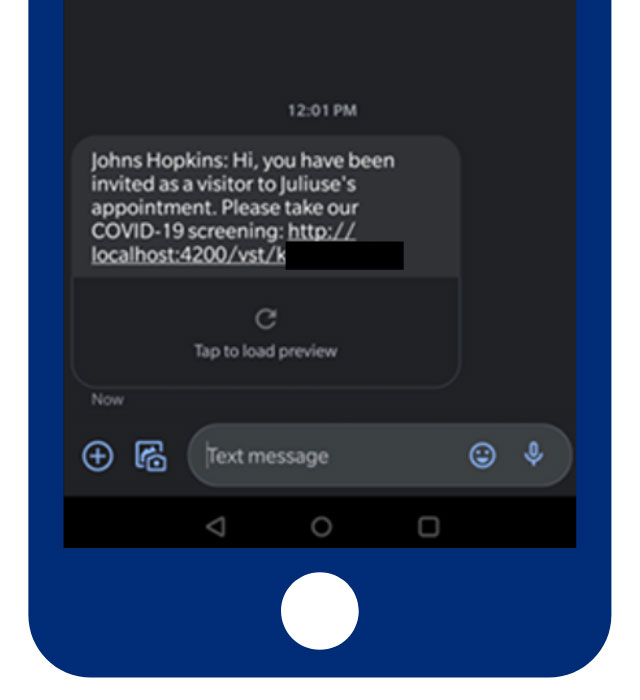
- The day before your appointment a text message will be sent to your mobile device. An example of the text message is shown here.
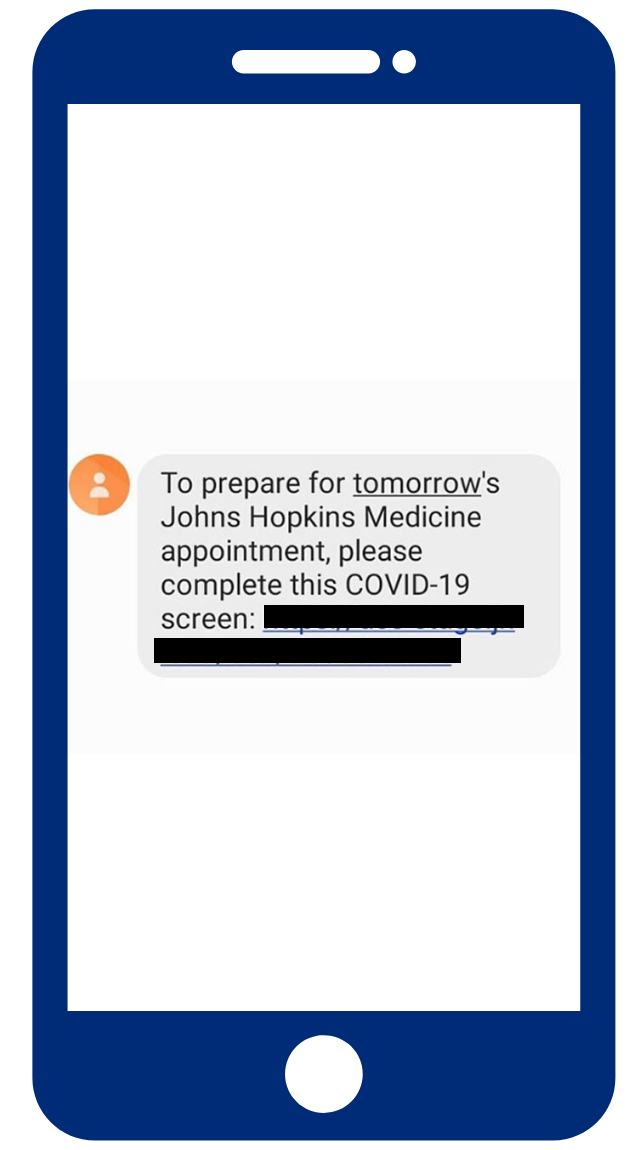
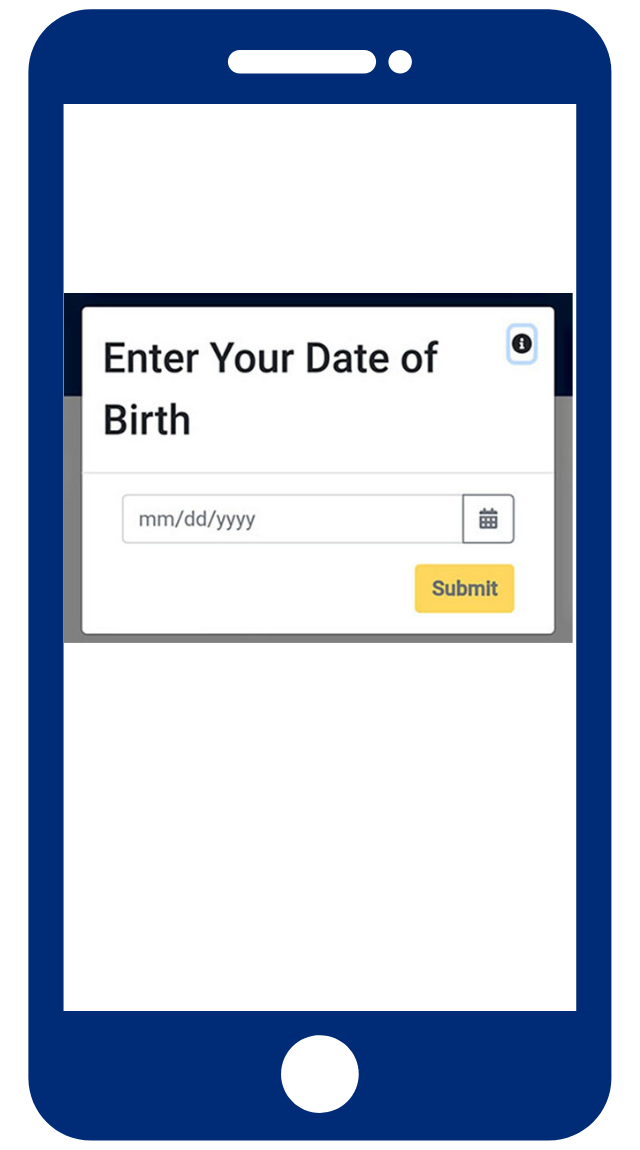
- Once you click on the link, you will be taken to screens that ask for the patient's birth date and confirms the appointment information.
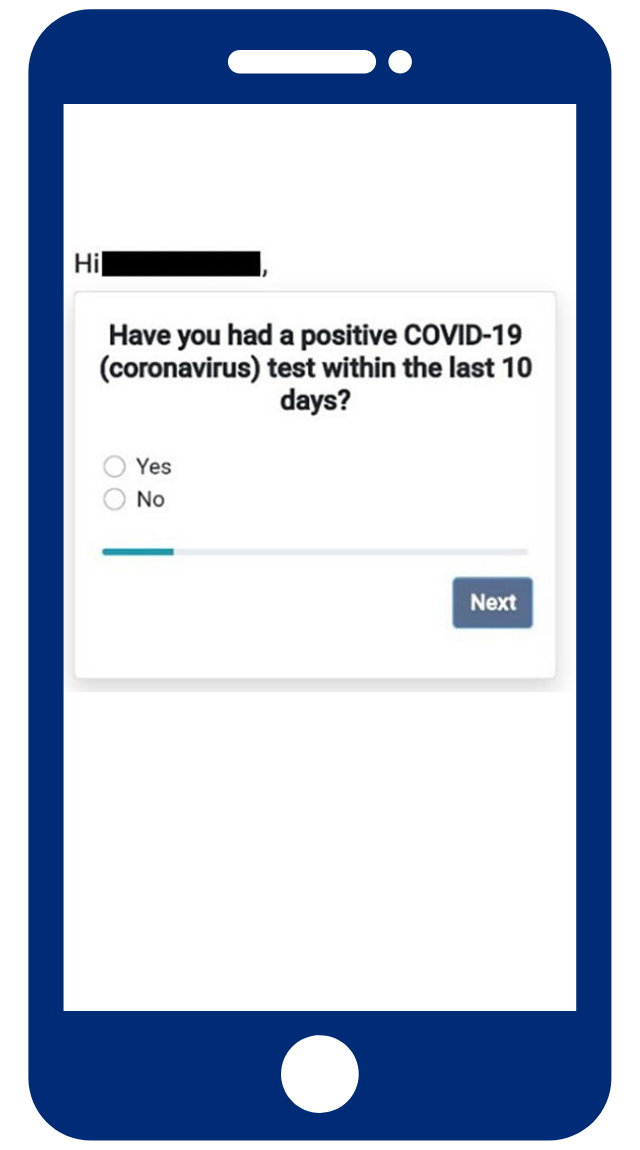
- You will then be asked several screening questions for COVID-19. Click on the response that is accurate for you on each screen.
- Based on your answers, you will receive a green or red screening badge on your phone. A green screening badge means you should come to your appointment as scheduled. A red screening badge means you indicate possible exposure or symptoms concerning COVID-19. Call your doctor’s office right away and discuss next steps.
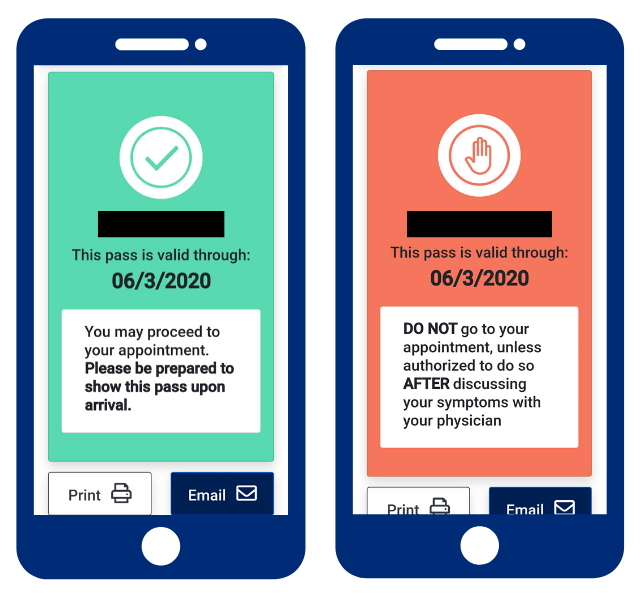
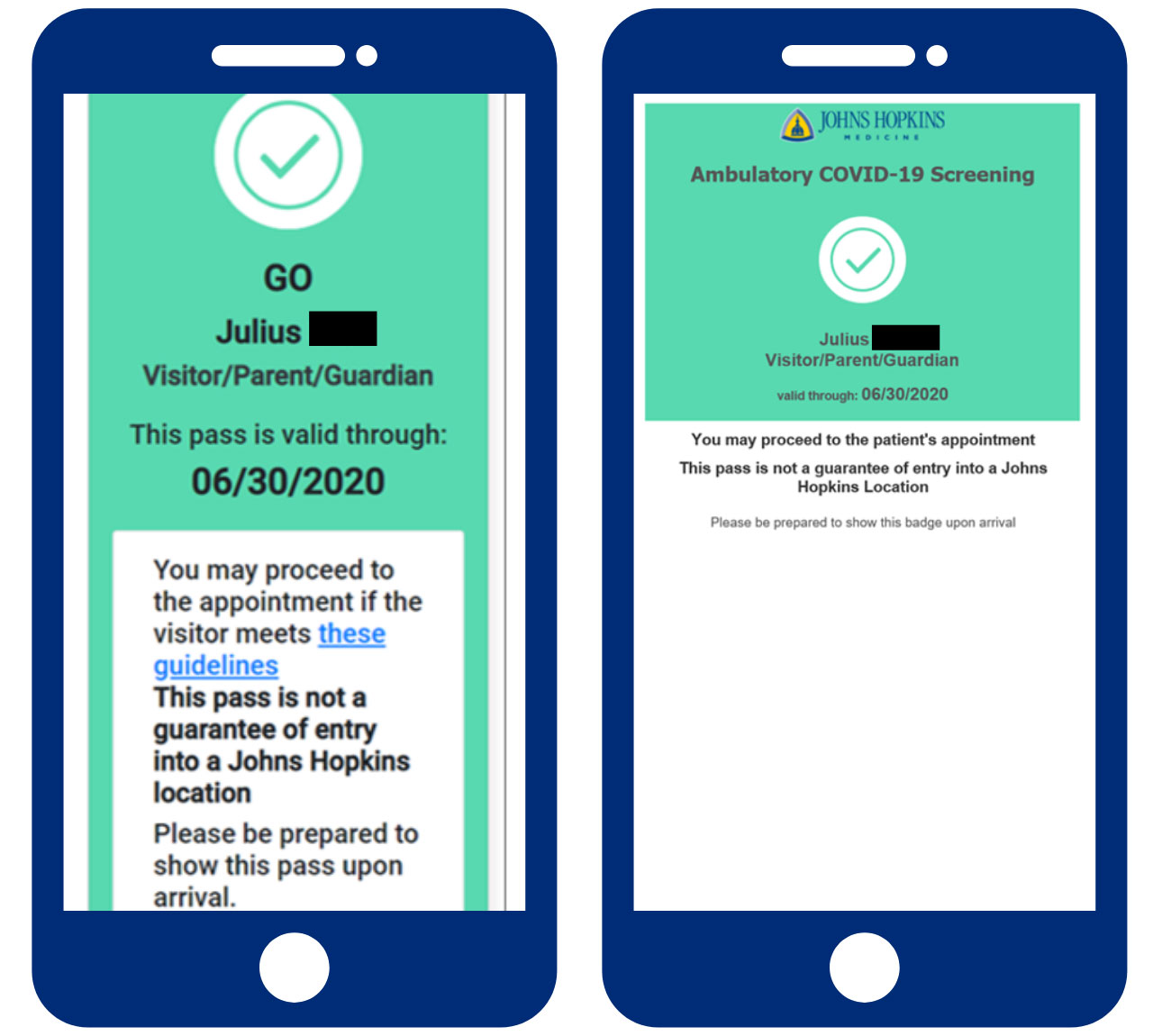
- If you receive a green screening badge, you will need to show the green screen on your mobile device when you arrive at our care facility. You can also print or email yourself your result screen and bring that with you.
If you can’t find the green screen on your mobile device, go back to the text message you originally received and click on the link again. Enter the patient's date of birth and the green screen should appear.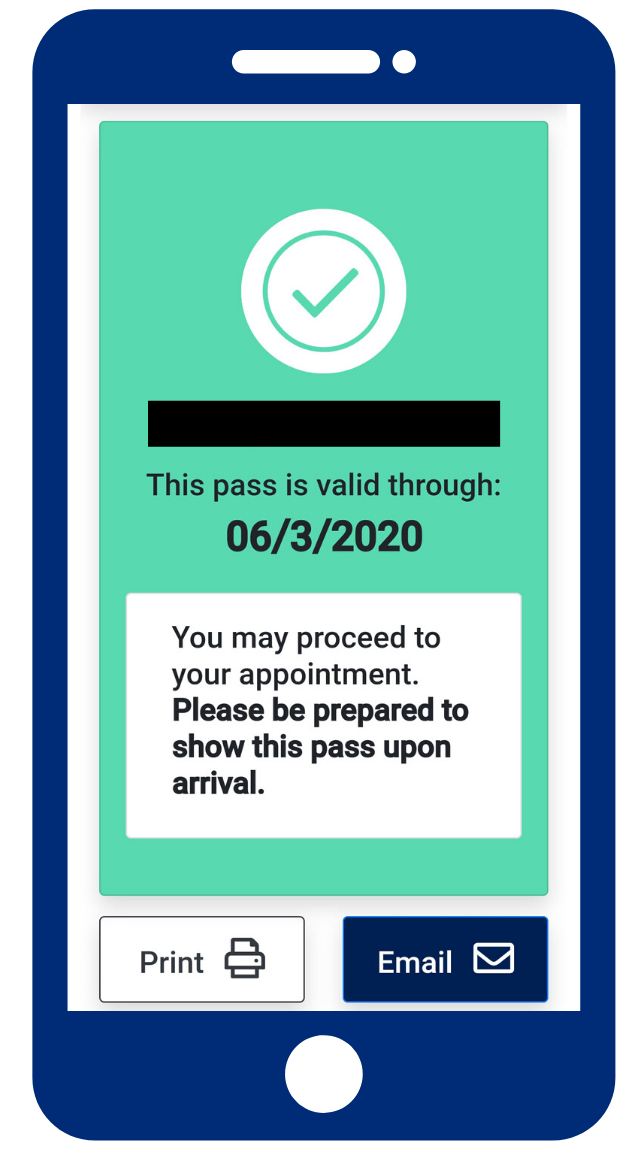
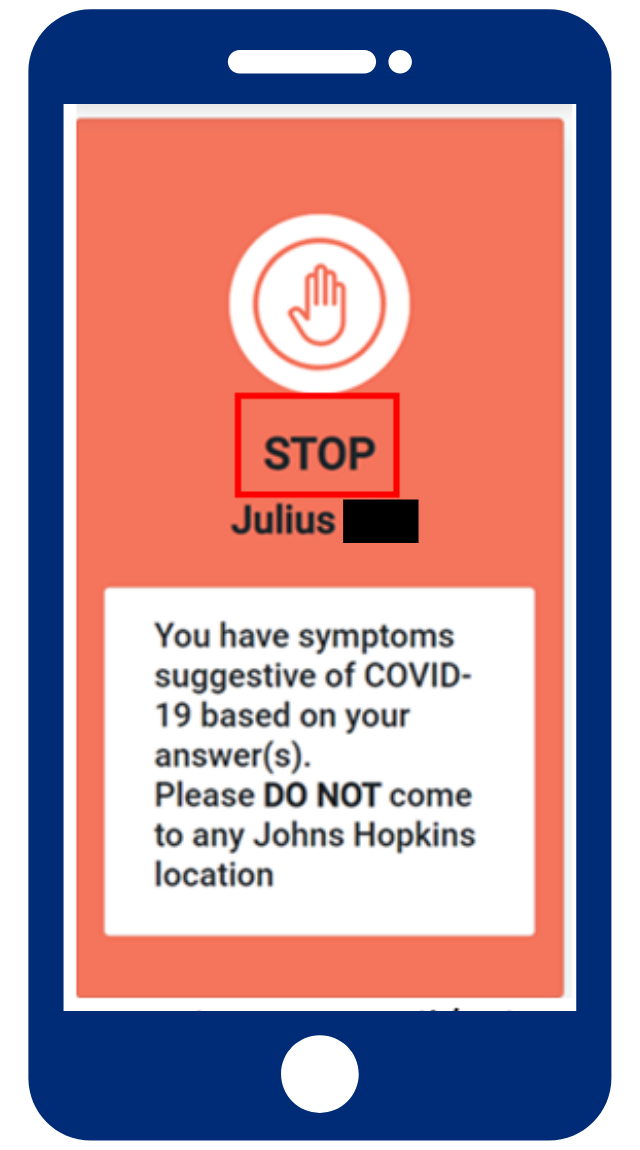
- If you receive a red screening badge and your doctor’s office has told you to come to your appointment, show the red screen when you enter our care facility. The screener at the entrance will check with your doctor’s office before allowing you into our care facility.
If you can’t find the red screen on your mobile device, go back to the text message you originally received and click on the link again. Enter the patient's date of birth and the red screen should appear.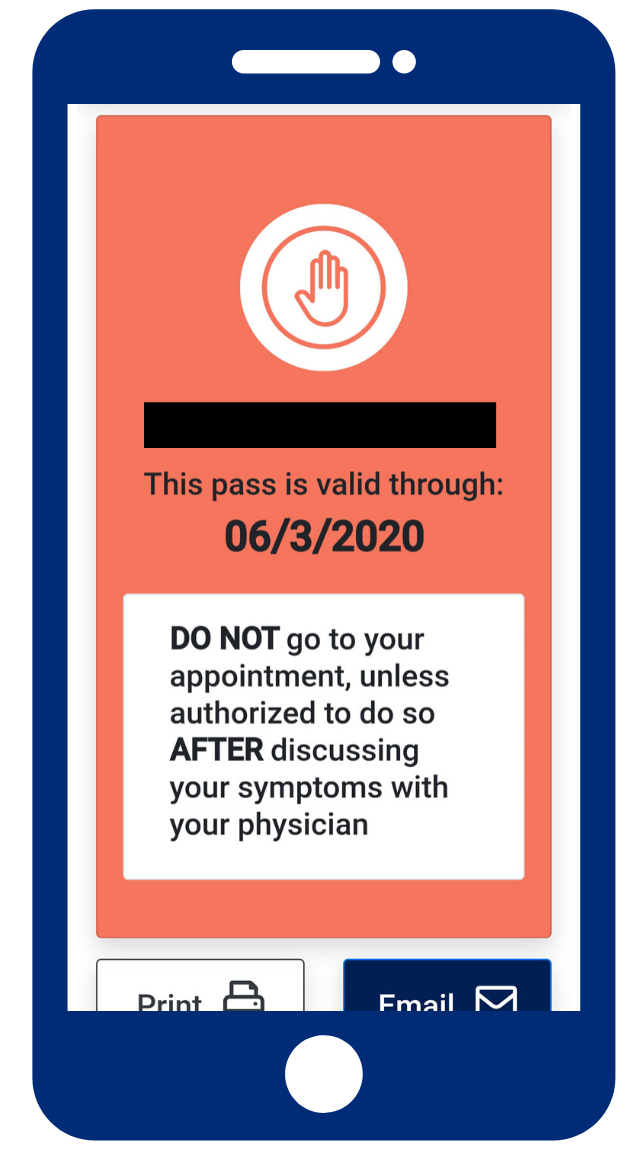
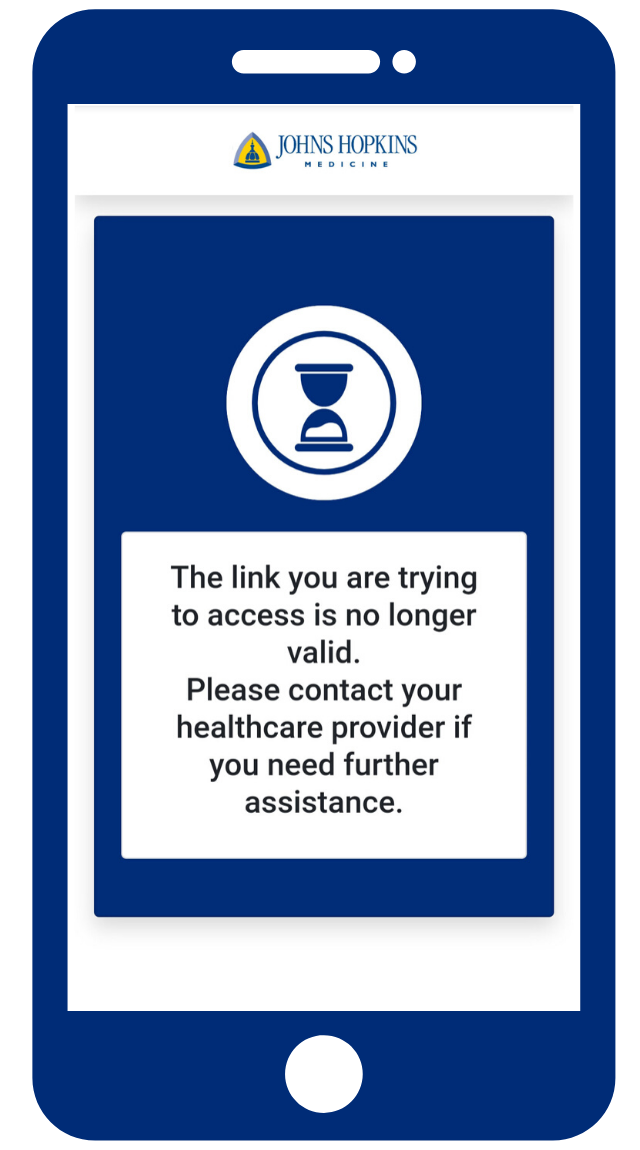
- Your screening badge is only valid for the day of your appointment. If your badge expires, you will see a blue screen. You should receive a new link for each day you have an appointment.
- Once you (or parent/guardian) complete this self-screening tool, you can invite your care partner to self screen.
- You will first be given a link to the Johns Hopkins Medicine visitor policy for review. In general, in order to prevent the spread of COVID-19, patients must come to appointments alone unless the patient is a child or has a disability that requires care from a caregiver due to the specifics of their disability. Please carefully review our visitor policy before sharing the self-screener with a care partner – the screening tool does not check to see if someone meets the exceptions listed in our policy.
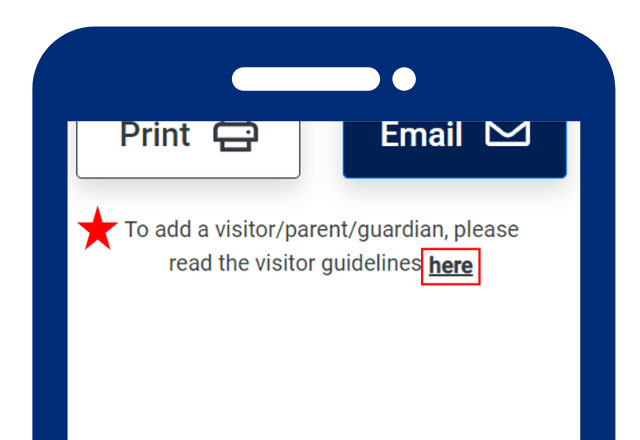
- Once you determine if your care partner meets the requirements on the visitor policy, click Add a New Visitor or Add Existing. When adding a new visitor, you will need to enter the visitor’s name, contact information and date of birth to use as an identifier. If you click Add Existing, a searchable dropdown opens.
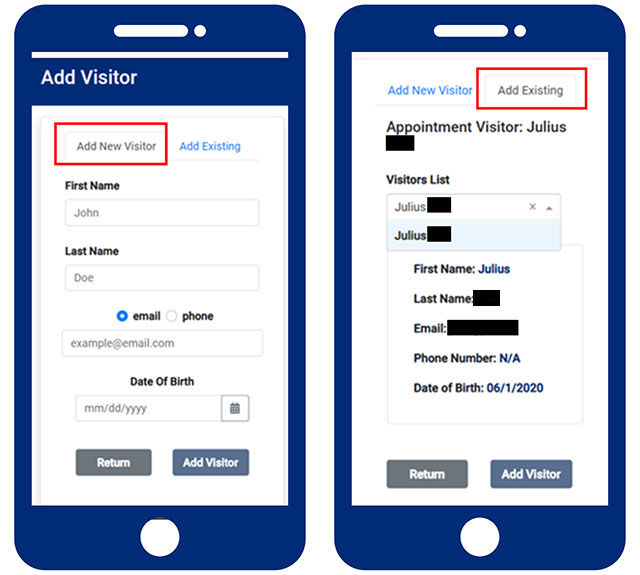
- Your visitor will get an email or text.
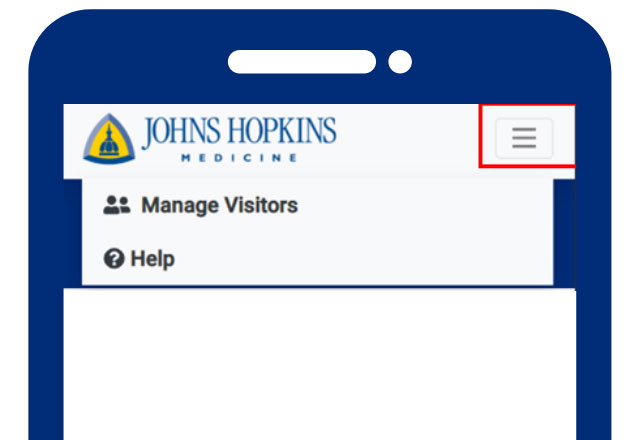
- You can also manage your visitors by using the new Manage Visitors option in the navigation bar at the top. On mobile devices, it’s expandable by clicking the menu button.
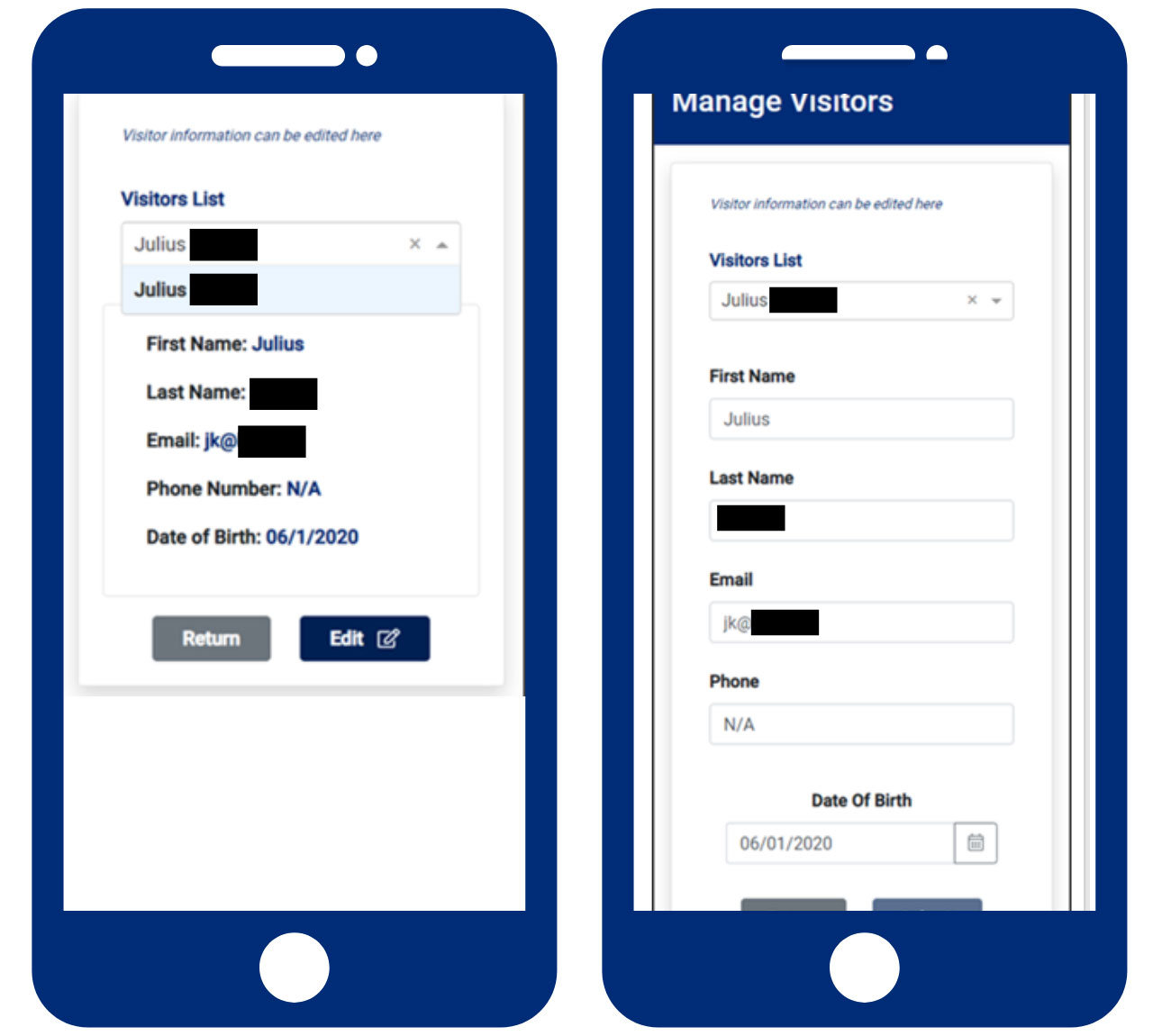
- Select a visitor to delete or edit the information for that visitor.
- If a visitor passes the screening, they receive a green badge on their mobile device or through email.
- If the visitor does not pass the screening, they will get a red badge and will not be permitted inside a Johns Hopkins Medicine facility.
COVID-19 Self-Screening Tool FAQs
What is the self-screening tool?
Everyone entering a Johns Hopkins treatment facility must be screened for COVID-19 by answering questions about possible symptoms for the coronavirus. Our self-screening tool allows patients with appointments at our clinics and community practices to screen for COVID-19 from their mobile device before arriving at our care center. The self-screening tool is also available to patients coming for unscheduled visits, such as for lab work, imaging and pharmacy pick-ups.
Parents, guardians or care partners accompanying patients with disabilities may also use the tool to screen before they arrive at their loved one’s appointment. (Please carefully review our visitor policy. In general, we are not allowing anyone other than patients to enter our facilities unless the patient requires pediatric care or has a disability requiring a care partner.) The self-screening tool helps get patients to their appointments more quickly and with fewer in-person interactions by allowing them to screen before arriving.
Who can use the self-screening tool?
The self-screening tool is intended for patients with in-person and specialty care appointments at our clinics and community practices. Patients who are having outpatient or inpatient procedures or surgeries must have a COVID-19 test, but also need to be screened for symptoms the day of their procedure. When you make your appointment or schedule your procedure, this will be explained to you, but please call your doctor’s office if you are not sure if you have access to the self-screening tool.
In certain circumstances, the patient using the self-screening tool may share the tool with a family member or care partner so they can pre-screen too. Before sharing the tool, please carefully review our visitor policy. In general, we are not allowing anyone other than patients to enter our facilities.
When and how do I receive the self-screening tool?
If you have an appointment at a clinic or community practice, you will receive a text message the day before your appointment that will include a link to the self-screening tool. Step-by-step directions are also available.
Please remember, if you are having an inpatient or outpatient surgery or procedure, you will also need to undergo COVID-19 testing.
When and how do I receive the self-screening tool?
If you have an appointment at a clinic or community practice, you will receive a text message the day before your appointment that will include a link to the self-screening tool. Step-by-step directions are also available.
Please remember, if you are having an inpatient or outpatient surgery or procedure, you will also need to undergo COVID-19 testing.
Signs like this are near some entryways and you can scan the QR code from the sign.
What if I don’t use the self-screening tool before my appointment?
You have two options if you do not use the self-screening tool before your appointment.
- You will need to be screened in person as you arrive for your appointment.
Or